




Try Before You Pay — Your First Class Is FREE!
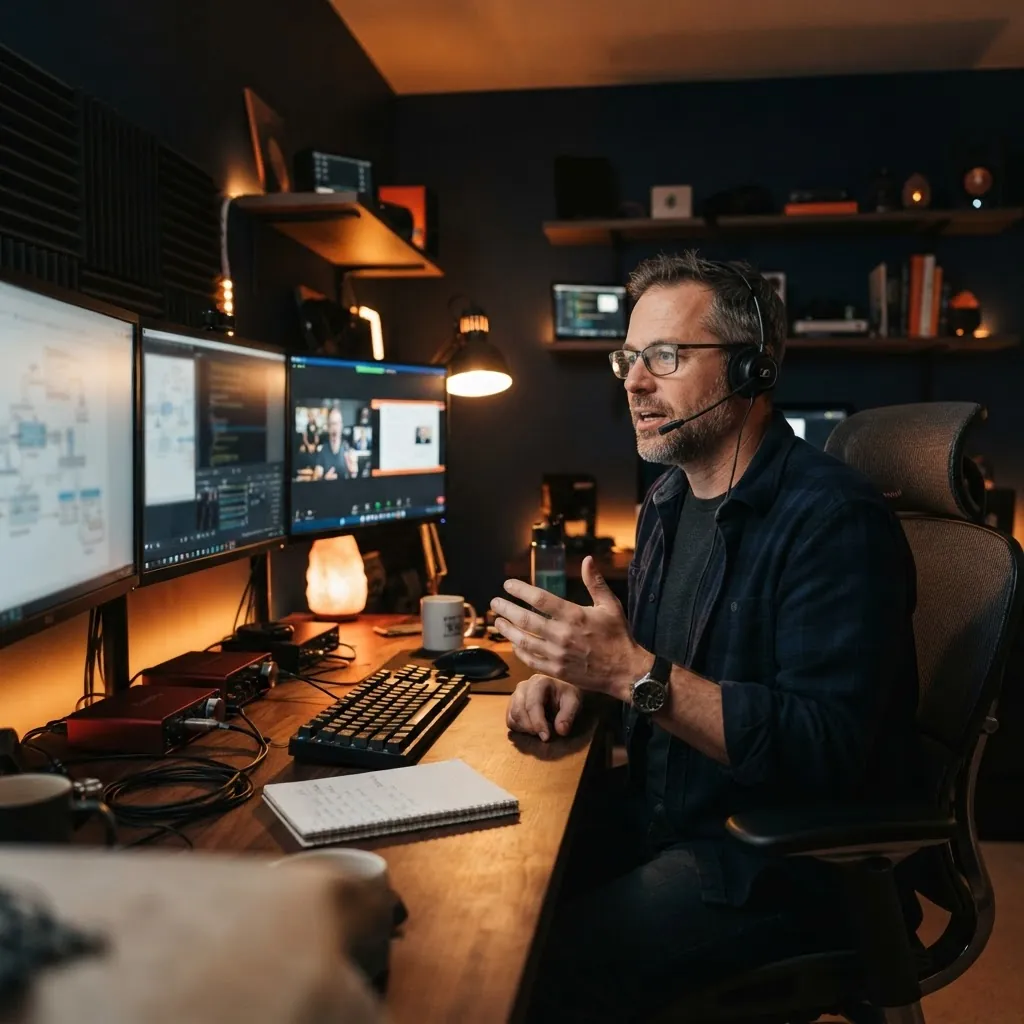
An instructor teaching a live online class at a dual-monitor workstationLive on Zoom

Live · Online · Instructor-led

Build practical skills for modern data and IT systems.

Learn database, SQL, and systems skills through live instruction, guided practice, and structured training.

Live online technology training

Build practical skills for modern data and IT systems.

Learn database, SQL, and systems skills through live instruction, guided practice, and structured training. Build a foundation or develop deeper technical expertise.

Instructor smiling while teaching a live online technology class
Live on ZoomLive, instructor-led technical training

Course catalog

Choose the technical skills you want to build next.

Explore training by subject, level, and prerequisites. Clear course details help you choose the right place to begin or the next area to develop.

View all courses (5)
  • SQL Server

    Hands-On SQL Server Database Administration

    Learn to install, secure, back up, restore, monitor and automate SQL Server the way companies run it on their own servers. Over 16 weeks of live classes you build your own lab with a domain controller and two SQL Servers, practice the work a DBA does every day, and finish with a capstone project and job readiness support.

    Live on Zoom · Beginner to intermediate
  • Azure SQL

    Hands-On Azure SQL Database Administration

    Take your SQL Server skills to the cloud. In 8 weeks of live labs in real Azure, you learn to choose the right Azure SQL service, deploy and secure databases, monitor and tune them, protect them with backups and failover groups, automate the work and migrate on-premises databases, while keeping costs under control.

    Live on Zoom · Intermediate

Practical technical training

Understand the decision behind the command.

A technical task makes more sense when you know what it changes, what the system reports, and why the result matters.

Explore the training path
An instructor explaining SQL Server during a live online class
Step 01

Live instruction

Follow the reasoning on screen.

The instructor works through the task and explains the choices along the way. Ask questions while the topic is in view.

Step 02

Guided practice

Check the outcome, not just the steps.

Try the commands or configuration, read the response, and connect it to the result you intended.

Technical work spans data and infrastructure

These are examples of technical work covered by the current training.

  • Database administration

    Configure database environments, protect data, and plan recovery.

  • SQL development

    Write and structure queries for the work they need to support.

  • Performance tuning

    Use system evidence to investigate bottlenecks and assess changes.

  • Systems administration

    Maintain the infrastructure that supports technical services.

Database work changes
across environments.

Security, recovery, performance, and availability matter across database platforms. Responsibilities shift between self-managed SQL Server, cloud virtual machines, and managed database services.

  1. Database training

    Hands-On SQL Server Database Administration: On-Premises Infrastructure & Operations

    Learn to install, secure, back up, restore, monitor and automate SQL Server the way companies run it on their own servers. Over 16 weeks of live classes you build your own lab with a domain controller and two SQL Servers, practice the work a DBA does every day, and finish with a capstone project and job readiness support.

  2. Database training

    Hands-On Azure SQL Database Administration: Managed Databases & Cloud Operations

    Take your SQL Server skills to the cloud. In 8 weeks of live labs in real Azure, you learn to choose the right Azure SQL service, deploy and secure databases, monitor and tune them, protect them with backups and failover groups, automate the work and migrate on-premises databases, while keeping costs under control.

View all courses

Learning process

Practice continues after the class ends.

Class sessions introduce the task and its reasoning. Course materials give you a way to revisit the ideas and practice between classes.

See how the learning process works
  1. Step 1 of 3

    Choose a starting point

    Use the course prerequisites and outcomes to decide where to begin.

  2. Step 2 of 3

    Follow the explanation

    Test the ideas and ask questions as the task develops.

  3. Step 3 of 3

    Return to the material

    Practice between classes and bring questions back to the next session.

Career readiness

Prepare to present
your technical
skills professionally.

Career-readiness support can include CV/resume review, guidance on presenting your actual skills and experience, and short practice interviews with role-relevant questions. Feedback helps identify areas to strengthen before you begin applying and interviewing.

Explore the DBA career path

The academy

Professional experience shapes how we teach.

Goalbi Academy was founded by Rosita, a SQL Server database administrator whose experience spans on-premises and cloud environments. That professional background informs the Academy’s practical approach to technical training.

About the academy
RositaFounder · SQL Server database administrator
  • On-premises
  • Cloud
  • Live instruction

Who it’s for

For people building or extending technical skills

  • Starting in technology

    Build foundations before moving into a specialist subject.

  • Changing direction

    Explore the database and systems work that fits your intended path.

  • Working in IT

    Add technical depth related to your current role.

FAQ

Questions before you choose

Short answers about class format, schedules, and enrollment.

All questions
Are classes taught live, and can they be replayed?
Classes are taught live online. They may be recorded for educational replay, with access restricted to authorized students in the relevant class.
What language are classes taught in?
Current live classes are delivered in English unless the course or class page states otherwise.
How is the schedule decided?
Each class runs on published days and times. You see the available class dates before you enroll.
Do I need an account to enroll?
Yes. Your student account holds your course information, schedule, class access, and materials.

Next step

Choose your next technical subject.

Compare course content, prerequisites, and published class details before deciding.

Explore training
Available